# DevKinsta Cannot access db info to continue to setup WordPress site
**URL:** https://community.kinsta.com/t/devkinsta-cannot-access-db-info-to-continue-to-setup-wordpress-site/5736
**Category:** Application Support
**Created:** [November 18, 2025, 10:52am UTC](https://community.kinsta.com/t/devkinsta-cannot-access-db-info-to-continue-to-setup-wordpress-site/5736 "2025-11-18T10:52:27Z")
**Posts on this page:** 20
**Page:** 1
### Author:  [@jackel716](https://community.kinsta.com/u/jackel716)
#### Post date: [November 18, 2025, 10:52am UTC](https://community.kinsta.com/t/devkinsta-cannot-access-db-info-to-continue-to-setup-wordpress-site/5736/1 "2025-11-18T10:52:27Z")
Greetings,
I’ve successfully set up DevKinsta with Docker. However, I cannot proceed to next step in setting up Wordpress. I get to this stage.

Then click continue to this page.

Then once I click Let’s Go to this page.
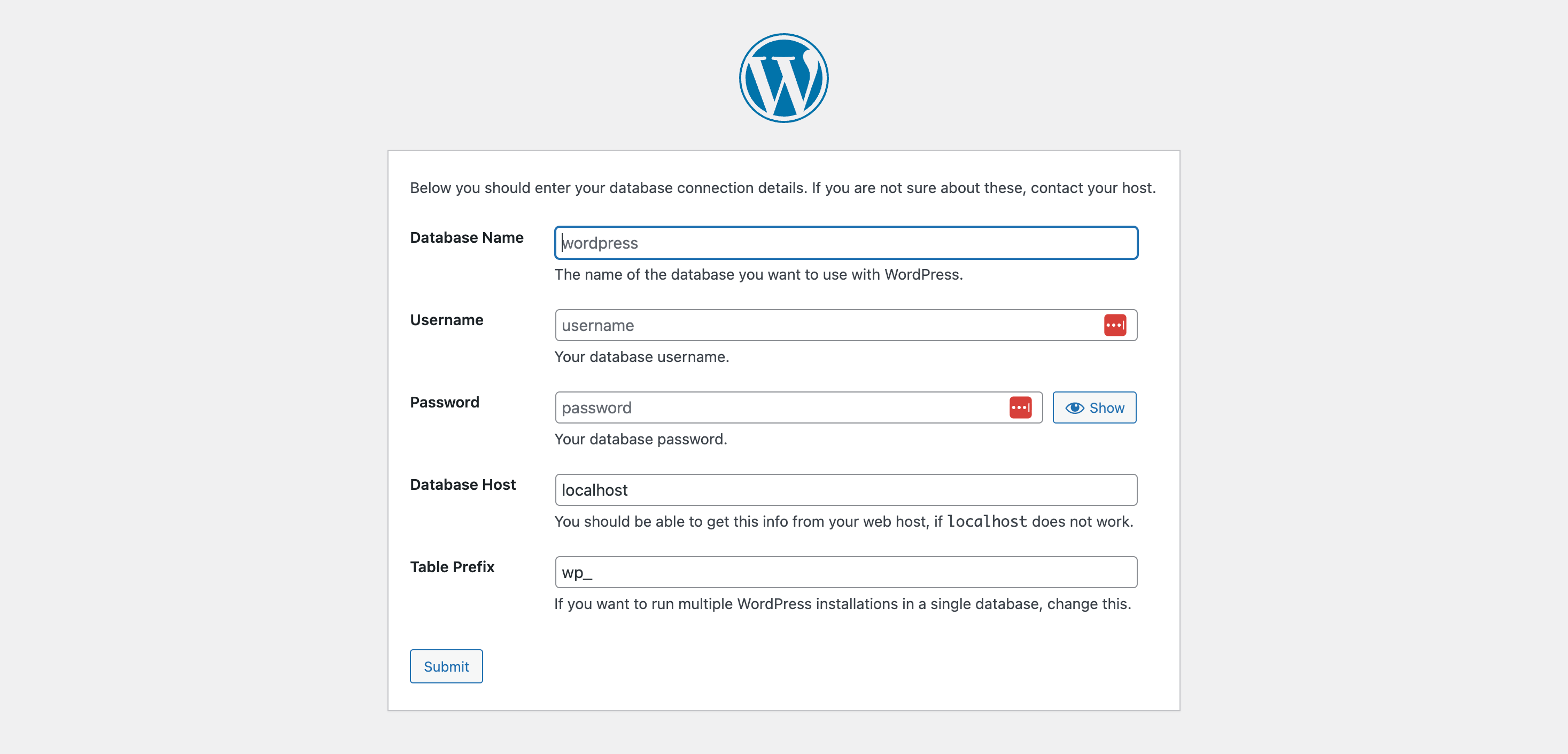
Where do I obtain the db info to get past this section? It always returns this response.

---
### Author:  [@VladimirM](https://community.kinsta.com/u/VladimirM)
#### Post date: [November 18, 2025, 12:29pm UTC](https://community.kinsta.com/t/devkinsta-cannot-access-db-info-to-continue-to-setup-wordpress-site/5736/2 "2025-11-18T12:29:00Z")
Hello @jackel716 👋
Is this happening after you implemented the solution that I posted here?
> [@Something bad happened: in create new site](https://community.kinsta.com/t/something-bad-happened-in-create-new-site/2190/17):
>
> I know I am a bit late to the party, but just in case someone else is having trouble with this specific problem the following might be a solution: In my case the root password wasn’t set, so I just had to set it manually in docker. The following steps is how I fixed it. Open docker desktop and navigate to “Containers” Open the devkinsta\_db container Navigate to the inspect tab Find the Config section Copy the root password under the config section; it should something like this: "Config": { …
If it is, there still might be issues with the root user and you might need to take a longer workaround to resolve this, I’ll provide the steps.
---
### Author:  [@jackel716](https://community.kinsta.com/u/jackel716)
#### Post date: [November 18, 2025, 12:40pm UTC](https://community.kinsta.com/t/devkinsta-cannot-access-db-info-to-continue-to-setup-wordpress-site/5736/3 "2025-11-18T12:40:37Z")
Yes. I cannot find the correct db info to get pass this screen.
---
### Author:  [@VladimirM](https://community.kinsta.com/u/VladimirM)
#### Post date: [November 18, 2025, 12:49pm UTC](https://community.kinsta.com/t/devkinsta-cannot-access-db-info-to-continue-to-setup-wordpress-site/5736/4 "2025-11-18T12:49:10Z")
Thanks for writing back.
Sorry for not explaining, my point is that you shouldn’t be going through this set up, DevKinsta should do this for you.
Can you please try the following:
visit [http://127.0.0.1:15200/](http://127.0.0.1:15200/)
This should open your localhost adminer. Let me know if you are logged in (you probably won’t be). If you aren’t try to login with the password you obtained from the steps above and let me know what error do you get.
---
### Author:  [@jackel716](https://community.kinsta.com/u/jackel716)
#### Post date: [November 18, 2025, 1:51pm UTC](https://community.kinsta.com/t/devkinsta-cannot-access-db-info-to-continue-to-setup-wordpress-site/5736/5 "2025-11-18T13:51:48Z")
> [@VladimirM](#):
>
> [http://127.0.0.1:15200/](http://127.0.0.1:15200/)
Entering this takes me too..

Still cannot access or have correct credentials.
---
### Author:  [@jackel716](https://community.kinsta.com/u/jackel716)
#### Post date: [November 18, 2025, 1:54pm UTC](https://community.kinsta.com/t/devkinsta-cannot-access-db-info-to-continue-to-setup-wordpress-site/5736/6 "2025-11-18T13:54:04Z")
Still cannot access, even with password.
However, my local site host is: [http://led611.local:51368/](http://led611.local:51368/)
I hope this information helps.
How do I dm you? I could share my DevKinsta db settings.
---
### Author:  [@VladimirM](https://community.kinsta.com/u/VladimirM)
#### Post date: [November 19, 2025, 6:32am UTC](https://community.kinsta.com/t/devkinsta-cannot-access-db-info-to-continue-to-setup-wordpress-site/5736/7 "2025-11-19T06:32:38Z")
Hello @jackel716 👋
First, I would like to say that I apologize for the delayed reply. We don’t provide real-time support in the forum, but we have less coverage for personnel that handles these threads this week.
In regards to the issue, it is as I feared. It’s not just the password it’s permissions. You need to alter permissions for your rot user to have access with any localhost IP used.
This should resolve the issue:
**GRANTING PRIVILEGES TO ‘root’ USER**
Please execute the following commands from the Terminal/Command line one by one:
1. `docker exec -it devkinsta_db bash`
2. `mysql -u root -p`
(enter the password you found in previous steps in devkinsta\_db inspect)
3. `GRANT ALL PRIVILEGES ON *.* TO ‘root’@‘%’ IDENTIFIED BY ‘the password you created’ WITH GRANT OPTION;`
4. exit
5. exit
Try logging in to [http://127.0.0.1:15200/](http://127.0.0.1:15200/). If you don’t get errors than it means the issue was resolved. Try creating a new site and it should be ready to go (without the WP install process).
Let me know how it goes 👍
---
### Author:  [@chek](https://community.kinsta.com/u/chek)
#### Post date: [November 19, 2025, 4:29pm UTC](https://community.kinsta.com/t/devkinsta-cannot-access-db-info-to-continue-to-setup-wordpress-site/5736/8 "2025-11-19T16:29:32Z")
@VladimirM thank you for these detailed replies – I know the community forum is spread thin, but I wanted to acknowledge that the combination of this and a previous comment resolved our inability to create and use sites in DevKinsta.
Essentially, we followed your instructions from these two comments:
1. [Error at creating MySQL - #31 by Adrian\_L](https://community.kinsta.com/t/error-at-creating-mysql/2815/31)
2. [DevKinsta Cannot access db info to continue to setup WordPress site - #7 by VladimirM](https://community.kinsta.com/t/devkinsta-cannot-access-db-info-to-continue-to-setup-wordpress-site/5736/7)
Now, our team member is back up and running.
It’d be terrific to see this on an officially supported [DevKinsta doc](https://kinsta.com/docs/devkinsta/) for future reference. Let me know if that ever happens.
---
### Author:  [@jackel716](https://community.kinsta.com/u/jackel716)
#### Post date: [November 19, 2025, 6:57pm UTC](https://community.kinsta.com/t/devkinsta-cannot-access-db-info-to-continue-to-setup-wordpress-site/5736/9 "2025-11-19T18:57:32Z")
> [@VladimirM](#):
>
> GRANT ALL PRIVILEGES ON _._ TO ‘root’@‘%’ IDENTIFIED BY ‘the password you created’ WITH GRANT OPTION;
Sorry, but it appears that your recommendation has taken me back to where we started
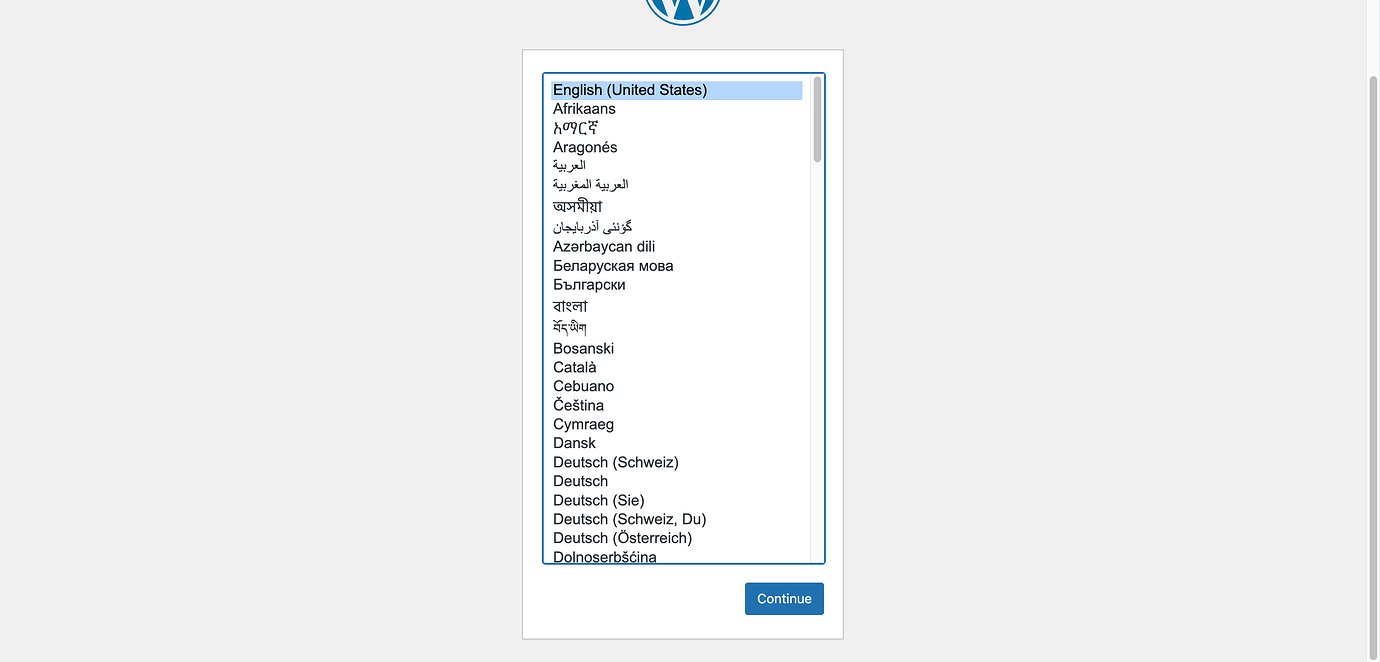
Try logging in to [http://127.0.0.1:15200/](http://127.0.0.1:15200/) is not found. Any thoughts!
---
### Author:  [@VladimirM](https://community.kinsta.com/u/VladimirM)
#### Post date: [November 20, 2025, 10:26am UTC](https://community.kinsta.com/t/devkinsta-cannot-access-db-info-to-continue-to-setup-wordpress-site/5736/10 "2025-11-20T10:26:05Z")
Hello @jackel716 👋
I’m sorry to hear that you’re still experiencing issues. This sounds like the steps weren’t done in the correct order or that another issue simply interferred. I’m sorry to say that that can happen. I personally, had to redo the following steps 3 times to get it to work.
The article I’m sharing now is a complete guide into resolving the issue.
> [@Error: Something bad happened - when trying to import site from myKinsta](https://community.kinsta.com/t/error-something-bad-happened-when-trying-to-import-site-from-mykinsta/5661/15):
>
> Hello @wpcreative-jwwaving_hand As discussed in our chat, I’m posting a complete step by step instructions, if needed in the future. @Seyed My colleague and I gave you the steps in the other threads, but I wanted to tag you here as well. Note: This applies to fixing the issues with site creation that are caused by database access error (in DevKinsta main.log, it’s → ERROR 1045 (28000): Access denied for user ‘root’@‘localhost’ (using password: YES) ). Part ONE - RESETING ‘root’ USER PASSW…
I understand it’s a lengthy process, but please take your time to do all steps from the top and let me know if it works. If it doesn’t, please provide your main.log so I can recheck it.
Kind regards!
---
### Author:  [@jackel716](https://community.kinsta.com/u/jackel716)
#### Post date: [November 20, 2025, 12:04pm UTC](https://community.kinsta.com/t/devkinsta-cannot-access-db-info-to-continue-to-setup-wordpress-site/5736/11 "2025-11-20T12:04:20Z")
I’ve tried your suggested solution three times to no avail as it keeps getting stuck at step 5.


I just continue to receive errors after that point. Any thoughts?
---
### Author:  [@jackel716](https://community.kinsta.com/u/jackel716)
#### Post date: [November 20, 2025, 12:28pm UTC](https://community.kinsta.com/t/devkinsta-cannot-access-db-info-to-continue-to-setup-wordpress-site/5736/12 "2025-11-20T12:28:49Z")
Hello Vladimir,
I’ve tried your suggested solution three times to no avail as it keeps getting stuck at step 5.
[](https://us1.discourse-cdn.com/flex020/uploads/kinsta/original/2X/d/d288222e69c8000c8a3663dc42d7d7db094bd4de.png)
[DevKinsta-Bug-Reports-Kinsta-Community-11-20-2025\_06\_54\_AM2832×1478 288 KB](https://us1.discourse-cdn.com/flex020/uploads/kinsta/original/2X/d/d288222e69c8000c8a3663dc42d7d7db094bd4de.png)
[](https://us1.discourse-cdn.com/flex020/uploads/kinsta/original/2X/4/4d4399d93812f2ea2d0bd2d3643f20989a36483b.jpeg)
[Screenshot 2025-11-20 at 6.51.44 AM2530×1443 310 KB](https://us1.discourse-cdn.com/flex020/uploads/kinsta/original/2X/4/4d4399d93812f2ea2d0bd2d3643f20989a36483b.jpeg)
I just continue to receive errors after that point. Any thoughts?
I’ve also attached the main log for your review. Thank you so much.
Best regards,
Ron Hill
> **main.log (redacted)**
>
---
### Author:  [@VladimirM](https://community.kinsta.com/u/VladimirM)
#### Post date: [November 20, 2025, 1:18pm UTC](https://community.kinsta.com/t/devkinsta-cannot-access-db-info-to-continue-to-setup-wordpress-site/5736/14 "2025-11-20T13:18:56Z")
Did you confirm that the devkinsta\_db container is stopped and that devkinsta\_reset\_mariadb\_root container is runnung?
---
### Author:  [@jackel716](https://community.kinsta.com/u/jackel716)
#### Post date: [November 21, 2025, 4:45am UTC](https://community.kinsta.com/t/devkinsta-cannot-access-db-info-to-continue-to-setup-wordpress-site/5736/15 "2025-11-21T04:45:26Z")
Yes I did still no get to wordpress site. It always takes me to this screen..
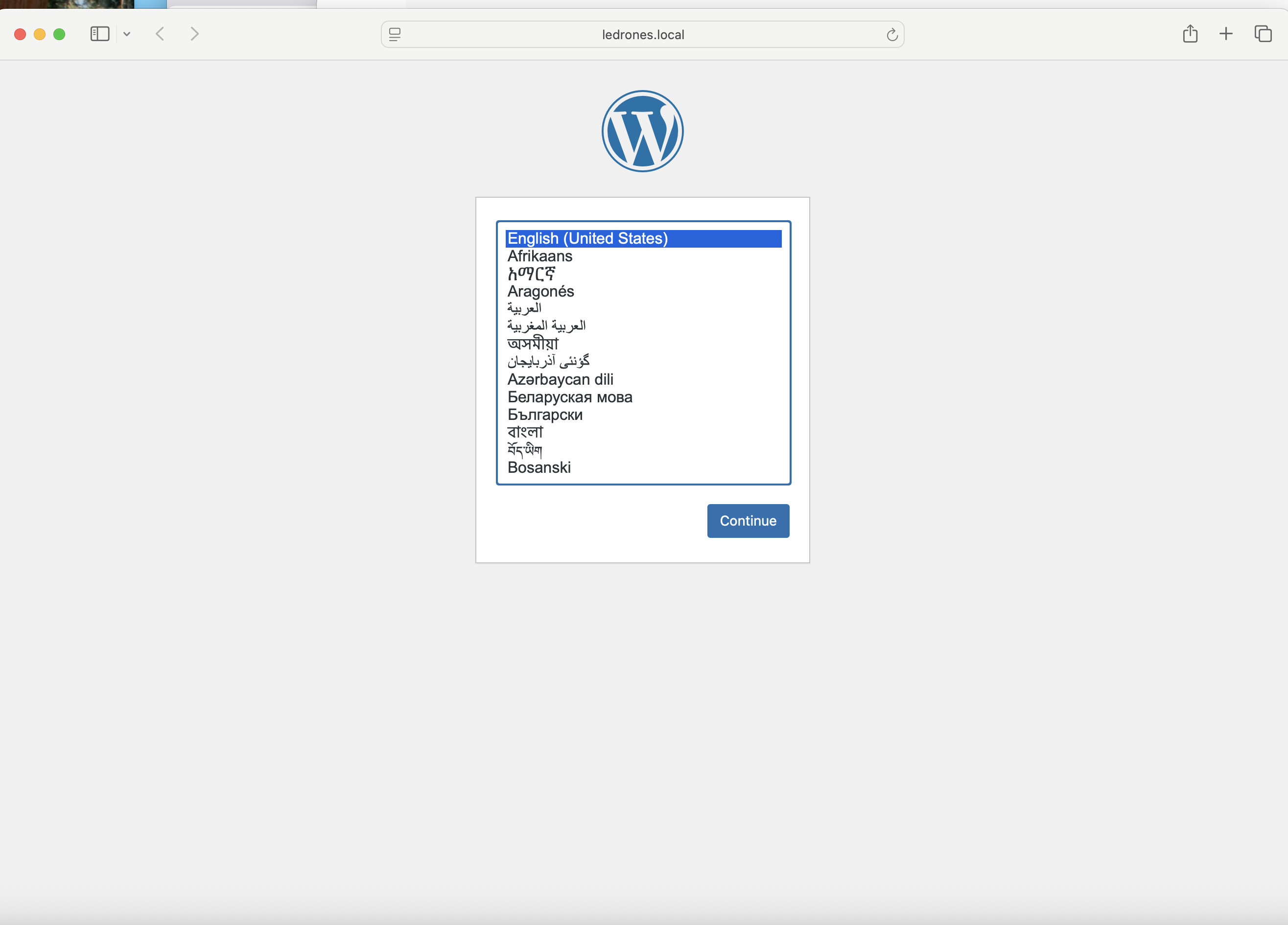
Then this screen.

Then when I click Let’s Go.

This is a screenshot of my db.👇through DevKinsta. What information goes above 👆

Sorry, but it still will not let me pass this gate. Any thoughts?
Thank you!
---
### Author:  [@VladimirM](https://community.kinsta.com/u/VladimirM)
#### Post date: [November 21, 2025, 7:15am UTC](https://community.kinsta.com/t/devkinsta-cannot-access-db-info-to-continue-to-setup-wordpress-site/5736/16 "2025-11-21T07:15:14Z")
Thank for writing back @jackel716 👋
Yes, that shows that the permissions aren’t correctly set for ‘localhost’ and tables aren’t being created. You shouldn’t try to complete the setup since it’s not going to work.
Can you please take a screenshot of your containers in Docker Desktop? Like this:

---
### Author:  [@jackel716](https://community.kinsta.com/u/jackel716)
#### Post date: [November 21, 2025, 1:28pm UTC](https://community.kinsta.com/t/devkinsta-cannot-access-db-info-to-continue-to-setup-wordpress-site/5736/17 "2025-11-21T13:28:58Z")
Hello Vladimir,
Thank you for getting back to me. Here is the docker container screenshot. 👇

Please let me know if you need anything else.
Looking forward to your response.
Thank you,
Ron
@jackel716
---
### Author:  [@VladimirM](https://community.kinsta.com/u/VladimirM)
#### Post date: [November 21, 2025, 1:38pm UTC](https://community.kinsta.com/t/devkinsta-cannot-access-db-info-to-continue-to-setup-wordpress-site/5736/18 "2025-11-21T13:38:26Z")
Great 👍
That looks correct. Please click to stop devkinsta\_db.
Then go to terminal and repeat the steps:
docker run --name devkinsta\_reset\_mariadb\_root -v devkinsta\_db\_data:/var/lib/mysql/ -d mariadb:10.5.5 mysqld --skip-grant-tables
Go back to docker desktop and **stop devkinsta\_db.**
**Make sure that new container devkinsta\_reset\_mariadb\_root is running.**
Click on devkinsta\_reset\_mariadb\_root and go to ‘Exec’.
Run the following command: `mysql -u root -p. It will prompt you for a password but just press Enter.`
Run the following commands one by one:
(Replace ENTER\_THE\_NEW\_PASS\_HERE with a password of your choosing and remember it/copy it for later use.)
`USE mysql; `
`FLUSH PRIVILEGES; `
`ALTER USER 'root'@'localhost' IDENTIFIED BY 'ENTER_THE_NEW_PASS_HERE'; `
`FLUSH PRIVILEGES;`
If you are able to get to this step, please continue with the rest of the steps as per the article I shared.
---
### Author:  [@jackel716](https://community.kinsta.com/u/jackel716)
#### Post date: [November 21, 2025, 6:21pm UTC](https://community.kinsta.com/t/devkinsta-cannot-access-db-info-to-continue-to-setup-wordpress-site/5736/19 "2025-11-21T18:21:10Z")
Hey Vladimir,
Tried several times and always get stuck on this screen and progress.

It’s sad to think that this process has been so repetitive, over and over again - that I’m beginning to feel that this DevKinsta app does not like me or my computers. I would really like to use this tool especially since I’m a Kinsta customer.
I would like to try this one more time. However, my son who is familiar with databases has offered his assistance to overcome my lack of technical skills to implement this correctly. Could you lay out from the top what he has to do to correct this issue once and for all. Please advise if you require anything else on my end. Thank you so much.
Best wishes,
Ron @ jackel716
Best wishes,
---
### Author:  [@VladimirM](https://community.kinsta.com/u/VladimirM)
#### Post date: [November 21, 2025, 6:44pm UTC](https://community.kinsta.com/t/devkinsta-cannot-access-db-info-to-continue-to-setup-wordpress-site/5736/20 "2025-11-21T18:44:17Z")
Hello 👋 @jackel716
The issue is that your command is `mysql -u -p` and it should be `mysql -u root -p`
Change that in your command, use the password you set before and continue with the steps it should be OK.
I understand it’s a lengthy and repetitive process, but I’m sure if you stick to it by the end it will be resolved. 👍
---
### Author:  [@jackel716](https://community.kinsta.com/u/jackel716)
#### Post date: [November 22, 2025, 7:50pm UTC](https://community.kinsta.com/t/devkinsta-cannot-access-db-info-to-continue-to-setup-wordpress-site/5736/21 "2025-11-22T19:50:10Z")
Hello Vladimir,
Yes, Sir! You were absolutely correct. 👍
Many thanks for your patience. You’re the MAN! 😉
[Next page](https://community.kinsta.com/t/devkinsta-cannot-access-db-info-to-continue-to-setup-wordpress-site/5736.md?page=2)