# Still didn't work after deleting Docker Containers
**URL:** https://community.kinsta.com/t/still-didnt-work-after-deleting-docker-containers/3191
**Category:** Application Support
**Created:** [March 22, 2024, 10:21pm UTC](https://community.kinsta.com/t/still-didnt-work-after-deleting-docker-containers/3191 "2024-03-22T22:21:15Z")
**Posts on this page:** 10
**Page:** 1
### Author:  [@cliff](https://community.kinsta.com/u/cliff)
#### Post date: [March 22, 2024, 10:21pm UTC](https://community.kinsta.com/t/still-didnt-work-after-deleting-docker-containers/3191/1 "2024-03-22T22:21:15Z")
Continuing the discussion from [Cannot import a zip](https://community.kinsta.com/t/cannot-import-a-zip/3036/11):
Here’s what I tried: [Zight Recording 2024-03-22 ...](https://share.zight.com/jku8NJ20)
---
### Author:  [@Andrew](https://community.kinsta.com/u/Andrew)
#### Post date: [March 23, 2024, 7:26pm UTC](https://community.kinsta.com/t/still-didnt-work-after-deleting-docker-containers/3191/2 "2024-03-23T19:26:59Z")
Hi @cliff! Thanks for following up with us regarding this matter.!
Thank you as well for sharing that video. This video is very helpful and fully shows what steps you are taking and what error is occurring. It does appear from the video that you have followed our earlier steps correctly to fully shutdown DevKinsta, remove the related containers, and then launch the software again. I also see it appears your backup archive is structured properly. However, the error continues to persist.
I am going to further escalate this with our development team to see if they may know what’s causing this and to see what further steps we can take to resolve this problem. We do appreciate your patience while we further investigate. We will update you as soon as possible once we have additional details to share.
In the meantime, please don’t hesitate to reply if you do have any further questions or details you would like to share.
Best regards
---
### Author:  [@Andrew](https://community.kinsta.com/u/Andrew)
#### Post date: [March 24, 2024, 1:49am UTC](https://community.kinsta.com/t/still-didnt-work-after-deleting-docker-containers/3191/3 "2024-03-24T01:49:41Z")
Also just to quickly add, would it be possible for you to please direct/private message me a current copy of the main.log file? On Mac you may locate this file by launching DevKinsta and selecting “Reveal log file” under the help menu in the top bar. Having the details in this log file will help us in our investigation.
Thank you!
---
### Author:  [@cliff](https://community.kinsta.com/u/cliff)
#### Post date: [March 24, 2024, 2:25am UTC](https://community.kinsta.com/t/still-didnt-work-after-deleting-docker-containers/3191/4 "2024-03-24T02:25:56Z")
I sent it to you just now.
---
### Author:  [@Andrew](https://community.kinsta.com/u/Andrew)
#### Post date: [March 25, 2024, 1:42am UTC](https://community.kinsta.com/t/still-didnt-work-after-deleting-docker-containers/3191/5 "2024-03-25T01:42:27Z")
Hi @cliff! Thank you for following up with us!
Thanks for sending me the main.log file. I have reviewed the file and I do see an interesting entry in the log that could be related to this issue. I do see an error is logged with the description “Strange wp-config.php file: wp-settings.php is not loaded directly.”
To confirm, in the wp-config.php file do you see an entry that matches the following?
**require\_once ABSPATH . ‘wp-settings.php’;**
This line should be present towards the end of the file, and is what calls the wp-settings.php file.
We are looking forward to hearing back from you!
Best regards
---
### Author:  [@cliff](https://community.kinsta.com/u/cliff)
#### Post date: [March 25, 2024, 2:22pm UTC](https://community.kinsta.com/t/still-didnt-work-after-deleting-docker-containers/3191/6 "2024-03-25T14:22:54Z")
```auto
/** Absolute path to the WordPress directory. */
if ( ! defined( 'ABSPATH' ) ) {
define( 'ABSPATH', __DIR__. '/' );
}
```
---
### Author:  [@cliff](https://community.kinsta.com/u/cliff)
#### Post date: [March 25, 2024, 2:24pm UTC](https://community.kinsta.com/t/still-didnt-work-after-deleting-docker-containers/3191/7 "2024-03-25T14:24:10Z")
LocalWP was able to take my host’s native .zip (without me rearranging files then rezipping) and import successfully, first attempt. I’d like to see DevKinsta’s importing be more robust, able to handle more import structures of files.
---
### Author:  [@Adrian\_L](https://community.kinsta.com/u/Adrian_L)
#### Post date: [March 25, 2024, 11:49pm UTC](https://community.kinsta.com/t/still-didnt-work-after-deleting-docker-containers/3191/8 "2024-03-25T23:49:15Z")
Hi @cliff
I am showing these errors from the latest main.log file that you shared.
```auto
[2024-03-22 17:11:59.427] [error] Error - DK0081: WP_PARSE_CONFIG: live_KKlG.sql not found
[2024-03-22 17:11:59.435] [error] [validateBackupArchive] validating backup archive failed. Error - DK0081: WP_PARSE_CONFIG: live_KKlG.sql not found
[2024-03-22 17:11:59.436] [error] [ipcMainStep] Error in operation SITE_CREATION, step validate: Error - DK0081: WP_PARSE_CONFIG: live_KKlG.sql not found
[2024-03-22 17:19:52.562] [error] Error - DK0081: WP_PARSE_CONFIG: live_KKlG.sql not found
[2024-03-22 17:19:52.568] [error] [validateBackupArchive] validating backup archive failed. Error - DK0081: WP_PARSE_CONFIG: live_KKlG.sql not found
[2024-03-22 17:19:52.569] [error] [ipcMainStep] Error in operation SITE_CREATION, step validate: Error - DK0081: WP_PARSE_CONFIG: live_KKlG.sql not found
```
The error message refers to a specific error - [DK0081](https://kinsta.com/docs/devkinsta/devkinsta-troubleshooting/error-codes/). To try to resolve this issue, please check the `wp-config.php` file and ensure that the `DB_NAME` value matches the name of your `.SQL` file. Please make sure of the following:
- The `define( 'DB_NAME', '{dbName}' );` line exists in the file.
- A `.sql` file named exactly as mentioned in the config file `{dbName}.sql` exists in the root folder.
Let me know how it goes! 🙂
---
### Author:  [@cliff](https://community.kinsta.com/u/cliff)
#### Post date: [March 26, 2024, 1:15am UTC](https://community.kinsta.com/t/still-didnt-work-after-deleting-docker-containers/3191/9 "2024-03-26T01:15:20Z")

Yes, that is the error message. No, the one shown in the UI is not helpful like your error message is. And it links to [Troubleshooting - Error Codes - Kinsta® Docs](https://kinsta.com/docs/devkinsta/devkinsta-troubleshooting/error-codes/#dk-0081) which does not give helpful suggestions.
Changing the \_\_\_.sql file to match the `DB_NAME` setting did allow the import to complete but the site is just the URL over and over:
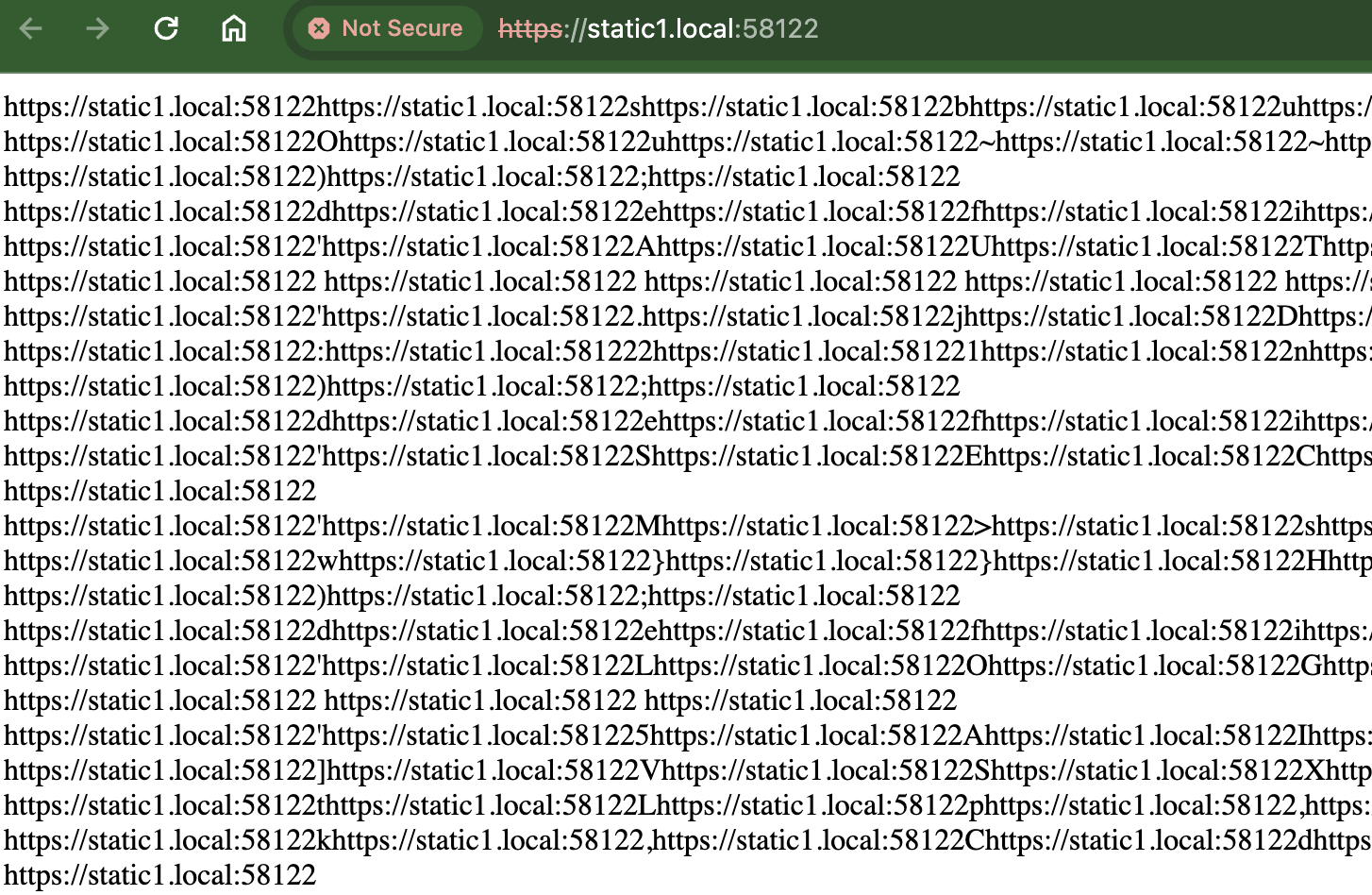
The db shows 72 tables in total, but my LocalWP import for the same site export shows 170 tables in total.
---
### Author:  [@Adrian\_L](https://community.kinsta.com/u/Adrian_L)
#### Post date: [March 26, 2024, 2:44am UTC](https://community.kinsta.com/t/still-didnt-work-after-deleting-docker-containers/3191/10 "2024-03-26T02:44:14Z")
Interesting. 🤔 Can you try importing the SQL file through the Database Manager UI for the site within Devkinsta instead? This will hopefully allow us to see if it reveals a more detailed error or if it imports all of the database data. However, please remember to drop the existing 72 tables first to avoid creating duplicate tables.