I have been using DevKinsta for a while using the new site function but wanted to now import a backup of a live site.
I am not able to get past a DK0081 error ‘Failed to parse wp-config.php file’. I followed the link and have checked the file is there and the DB NAME line exists in it. So that only leaves the .sql file as the problem.
But that’s the issue as I don’t understand the error / know what to do about it. I just downloaded the entire wordpress directory of the live site and then tried to import it in DevKinsta. I’m probably out of my depth knowledge wise and may have to abort this, but just wondered if anyone could help me get over this issue and get my site uploaded?
Can you confirm if your backup file (.zip or .rar) has the following file structure: the database is at the same level as the public folder where the WordPress files, including the wp-config.php file, are located?
No, my root folder is wordpress and the database is in there. That is the top access level I had access to to download the site. I couldn’t see a public folder. Sounds like I will have to go back to my hosting provider to gain the correct access?
I went back to my hosting provider and they have confirmed that I have the correct folder.
So I created a new folder, put the .sql folder and the wordpress folder in it, zipped it and imported that. But I still get the same error.
I looked in the main log file but it just says Error in operation SITE_CREATION, step validate: Error - DK0081: WP_PARSE_CONFIG: wp-config.php not found
Hi @vickypsv ! Would you be willing to share a link to that backup in a private message to myself, @Adrian_L , @merineth , and @VladimirM , so we can check the backup itself?
I have some good and bad news. The good news is that I’ve been able to import the backup but I first had to import it to a test site on Kinsta.
The reason is that DevKinsta is unable to parse the config file and this might or might not be a bug (yet to be determined) but for now, I’ll send you a download link that you can use to download the corrected version of the backup, that you should be able to import. It’s in your DM.
For future cases, if you have trouble importing external backups, you can first request a migration from backup and our Migration team will set the site up on Kinsta. Then you can pull the site to DevKinsta from Mykinsta directly or create a downloadable backup to import.
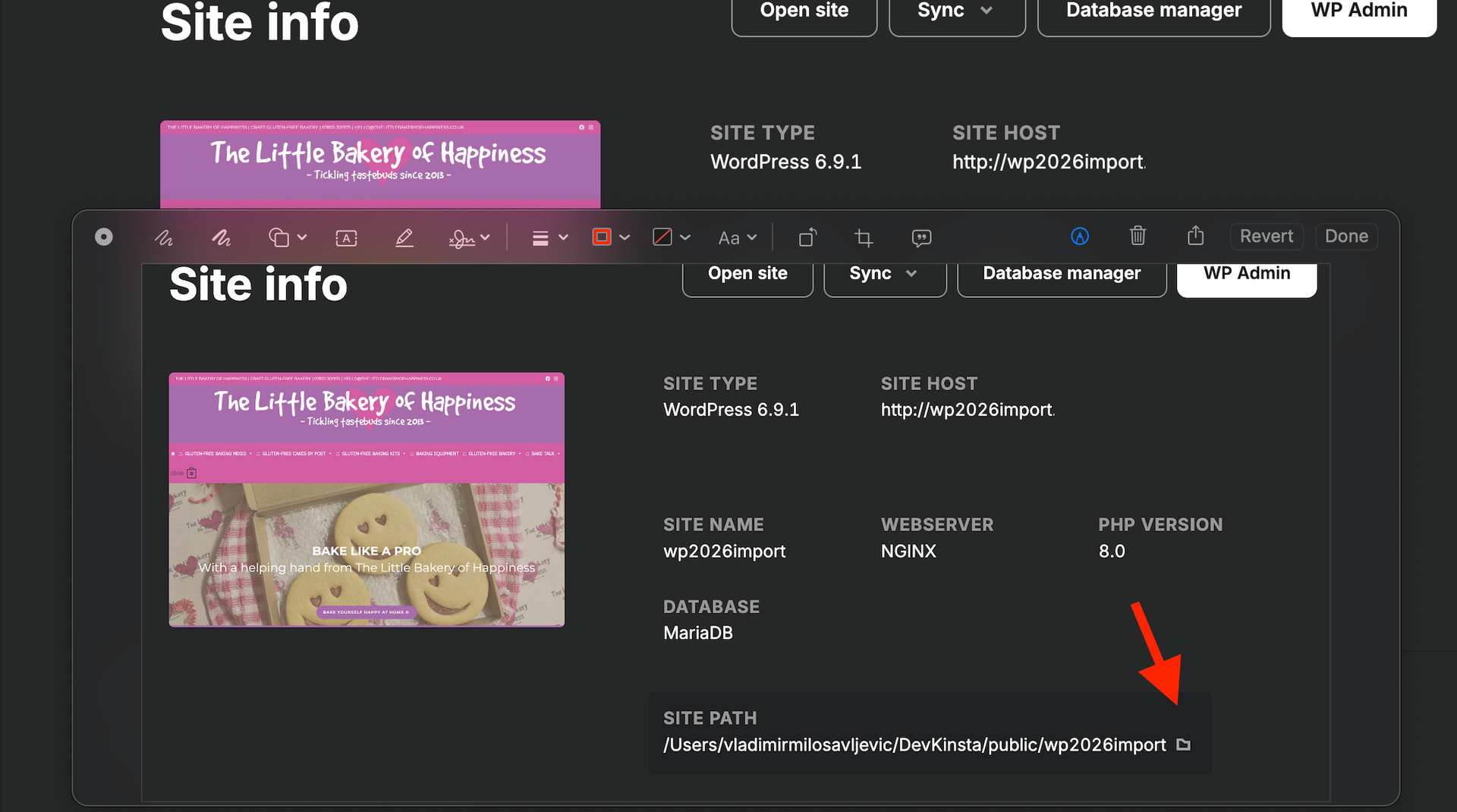
I got your message in regards to critical error on wp-admin. I can’t replicate the issue, the site works on my local so what you can do is regular troubleshooting. Click on ‘site path’ and edit WP Config to enable WP_DEBUG and it should tell you what the issue is. Add the lines:
Hi Vladimir. No, both the site and the wpadmin pages were blank when I tried to open them.
But your final sentence has solved the problem - I had the wrong version of php selected. It was set to the default of 8.0 but my site is currently 7.4.
Thank you so very much for all your help in getting this sorted for me.!


 I’m glad we could help.