Hi, I am unable to set the custom domain gatherspiel.com for my static site named main-site.
The Set DNS records popup mentioned two TXT records, which I added to the domain’s DNS records. However, the static site documentation mentioned that the second record should be a CNAME record:.
I then tried setting a CNAME record following the static site documentation.Afterwards, the first TXT record was verified, and the second TXT record still was not verified.
I don’t see the api. subdomain added anywhere, did you remove it in the meantime?
As for the main domain, the acme-challenge (in case of static sites) should be a TXT record, not a CNAME record. Therefore for the main site, please recheck your DNS and add a TXT record for _acme-challenge with the appropriate value.
I added a TXT record with the host acme-challenge, and it is not being recognized.
Also, the Kinsta static site hosting documentation I found mentions that a CNAME record for _acme-challenge needs to be set for verifying a domain. The value also contains a Cloudflare url that did not show up for me. Here is the documentation I’m referring to: Static Site Hosting - Domains - Kinsta® Docs
Is there some other documentation I should be following?
Actually, I see that the main domain just verified.
It might differ, depending on various factor, it is just important to follow instructions from Mykinsta. When I looked at your domain in Mykinsta, it stated it was expecting a TXT record.
Please add the api. subdomain, and follow instructions from Mykisnta, and let me know once done so I can recheck

 Welcome to the Kinsta community!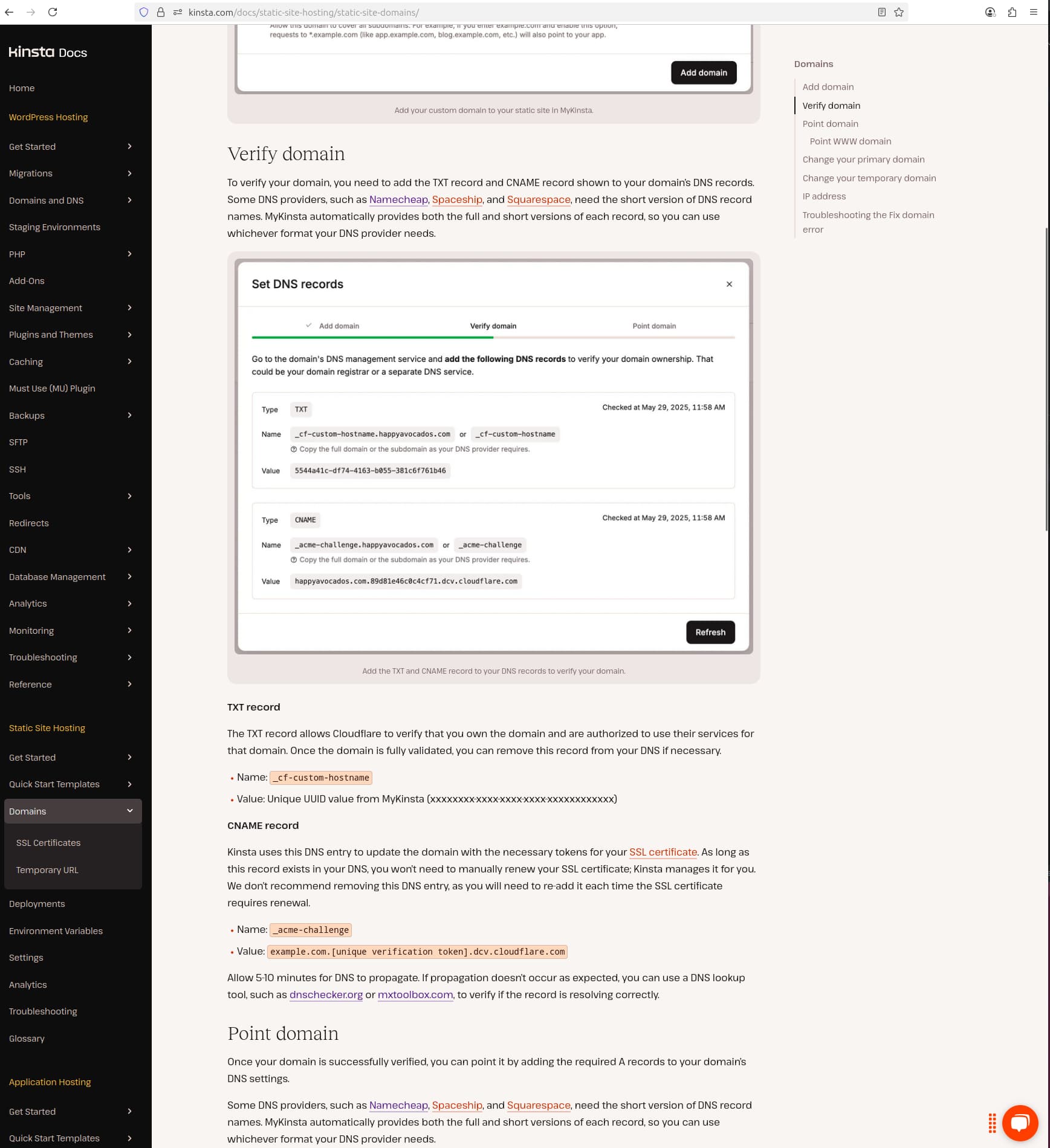


 I’m glad it works now.