If I remove port number from URL I just get “This site can’t be reached” page, do you know why is it adding port number to my URL?
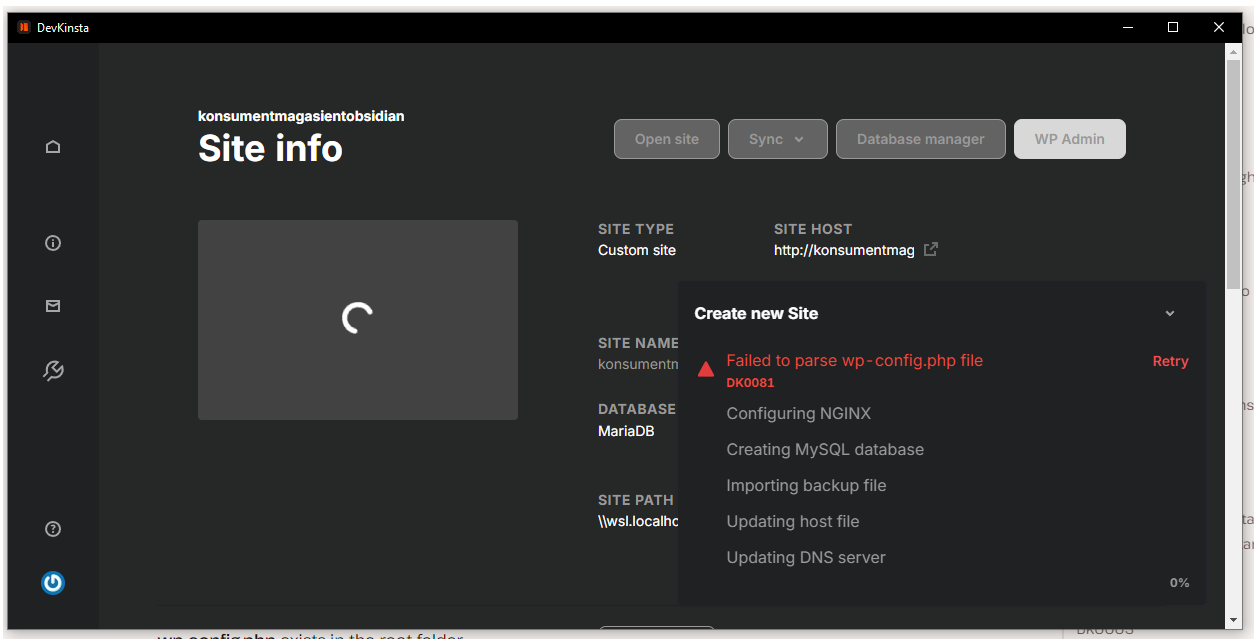
Downloaded the backup as suggested and went with custom site route and this is what I got after waiting for couple of hours, site is pretty huge 13 gigs..
Checked the Dev Kinsta error codes and this has to do something with wp-config.php file and invalid database settings even know I’m sure that I have put right database name since I copied it from details page…
Could it be that “Multiple themes plugin” is causing all this permalink problems because it’s responsible for displaying different themes, you can check its settings if you go to Settings->Multiple themes plugin
Regarding the custom port showing in the URL, when “Auto-detect open ports” is enabled, Devkinsta will assign a custom port and add it to the domain entries in the site database.
Please try unchecking the “Auto-detect open ports” option and manually set the default ports to 80 and 443. Updating to these default ports will allow Devkinsta to perform the Search and Replace function on your local sites, which will remove any previous custom ports added to your URLs.
Updated port selector to the ones you suggested, went on and imported the site again and URLs are formatting as they should right now but had a problem with wrong template showing on posts, I disabled WP rocket and now everything is as it should be…