Q: Detailed Description of the Problem A: Since two weeks ago, i deleted my local sites i had in dev kista and tried to pull from live again and all my sites get stuck at some point, i cant complete it.
Just a heads up, I am a big fan of WpEngine Local and I wish Kinsta would add a revamp of devkinsta UX and functionnalities in their roadmap.
If you currently have no working local sites, it may be easier to delete all the DevKinsta containers, images, and volumes in Docker Desktop. Doing this will allow you to start DevKinsta with a fresh setup the next time you launch it. Please note that deleting the “Volumes” will remove all your custom data associated with local sites in the DevKinsta app.
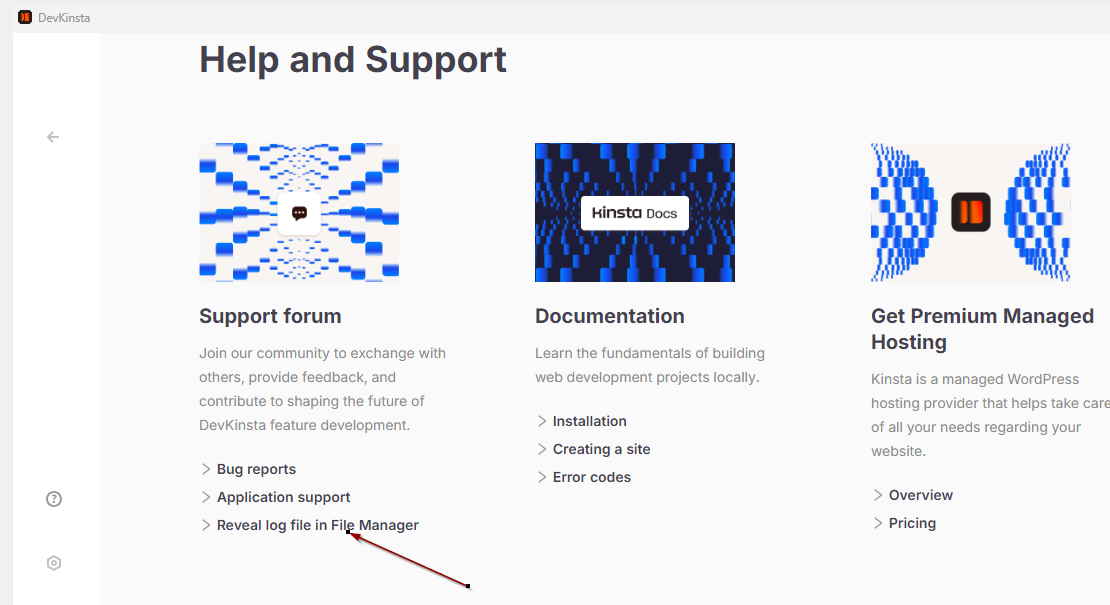
Otherwise, please send me the main.log file via private message so we can take a closer look at the specific error message causing the “Something bad happened” error. You can click on “Reveal log file in File Manager” to locate the directory where you can copy the main.log file. For more details, you may also refer to your guide here: Troubleshooting - Logs and Debugging - Kinsta® Docs.
@Adrian_L it worked well but i am not able to push it to live anymore. if i do somes changes in the code its like if i need to create another environment on live…
You can pull websites from Kinsta’s live site or staging environment to your local DevKinsta setup. However, when you want to push a local site to Kinsta, you must first push it to a staging site. Please check if you already have an active staging site on Kinsta to push your local site to; if not, you will need to create one. Once your local site is successfully pushed to the Kinsta staging site, you can then push the staging site to your live site as needed.
Let us know if you need any further clarification..